
Downloading Instagram Reels can be useful when you want to keep a clip you created, revisit a recipe or workout offline, or save an idea for later editing. The right method depends on whose reel it is, whether the account is public, and whether you need a video file on your device or simply want it saved inside the Instagram app.
Instagram’s built-in options are the safest place to start, especially for your own content. For other people’s reels videos, permissions, copyright, privacy, and the security of any third-party download tool all matter. A quick copy-and-paste solution may be convenient, but it isn’t always the most responsible choice.
Know the Difference Between Saving and Downloading
Instagram uses similar language for two very different actions. Knowing which one you need can prevent a lot of confusion.
| Option | Where the Reel Goes | Internet Needed to Watch? | Best Use |
|---|---|---|---|
| Save in Instagram | Your Saved collection in the app | Usually, yes | Bookmarking reels you want to find later |
| Download your own reel | Your phone’s camera roll or gallery | No, after the file is downloaded | Sharing, archiving, or editing your original content |
| Download a public reel shared by someone else | Your device, when the option is available | No, after download | Offline reference with the creator’s permission |
| Screen record | Your device’s video library | No, after recording | Personal reference where downloading is unavailable |
Saving is often the better choice for inspiration, fashion ideas, skincare routines, interior design clips, or entertaining videos you may want to revisit. It keeps the reel connected to the original account and makes it easier to find the creator again.
How to Save a Reel Inside Instagram
The Save feature doesn’t create a separate video file, but it is simple and generally the most respectful option for content from other accounts.
- Open the reel you want to keep in the Instagram app.
- Tap the three-dot menu or the share icon, depending on the version of the app and the reel’s layout.
- Select Save if that option appears.
- Find it later by visiting your profile, opening the menu, and selecting Saved.
You can organise saved posts into collections, which is helpful if you regularly save reels about home décor, phone tips, makeup looks, celebrity interviews, fitness, or meals. This method also avoids cluttering your camera roll with files you may never watch again.
How to Download Your Own Instagram Reels
If you posted the reel from your own account, Instagram may offer a download button through the reel’s sharing or menu options. The wording and placement can differ by device, app version, region, audio rights, and the features used in the post.
Download a Reel After Publishing
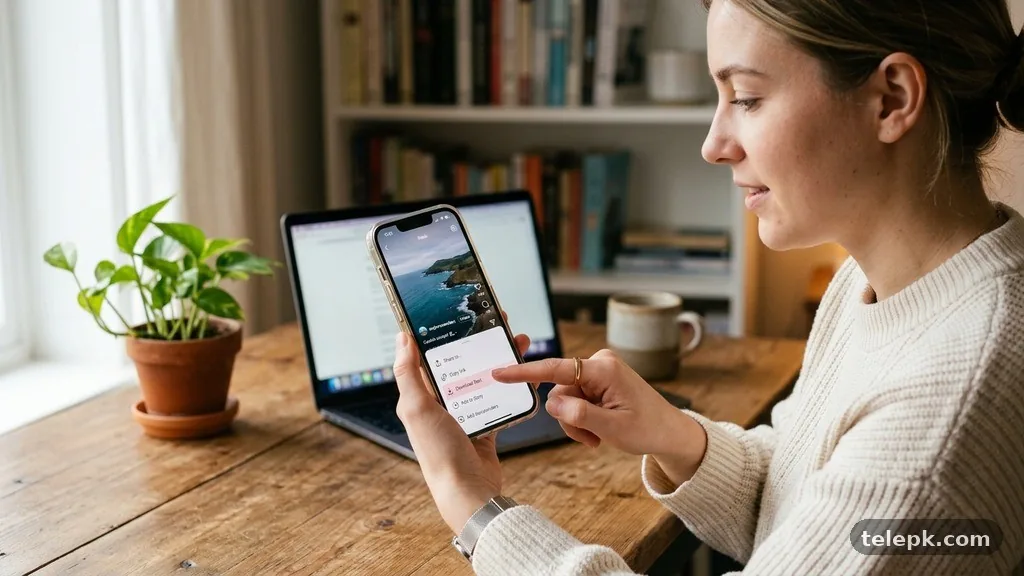
Open the reels video from your profile, then tap the share icon or three-dot menu. Look for an option such as Download, Save to device, or similar wording. If available, the file should appear in your phone’s photo library or Downloads folder.
Music is an important limitation. A reel using licensed music from Instagram’s audio library may not download with the same audio, or the download option may be restricted. A reel that uses your own original audio is generally easier to retain as a complete file.
Save Before You Publish
Before posting, check the reel creation screen for a download icon. Saving an original edit at this stage can be useful if you plan to reuse it on another platform or want a backup before publishing. Keep a separate copy of your source footage too; it gives you more control over quality and avoids relying on a compressed social-media export.
Can You Download Reels From Other Accounts?
Instagram may allow downloads for some public reels, but the creator’s account settings and the reel itself determine what is available. A private account’s content should not be downloaded or redistributed without clear permission. Even public content is still owned by its creator.
If a download option appears on a public reel, use that official option rather than a third-party service. If it doesn’t appear, saving the post within Instagram or asking the creator to send the original file is usually the cleanest approach.
- Ask permission before reposting, editing, or using someone else’s reel in commercial content.
- Credit alone does not automatically give you permission to reuse a video.
- Don’t share downloaded content that includes private information, children, or sensitive personal moments.
- Check the creator’s caption and profile for reuse instructions before assuming a public post is free to use.
- Keep the original account attached to your saved content whenever possible, so context and attribution aren’t lost.
For platform-specific rules and account controls, consult the official Instagram Help Center. Policies and available features can change, so the app itself is the most reliable place to confirm what your account can do.
Using a Reels Downloader: What to Consider
A reels downloader is usually a website or app that asks you to copy an Instagram Reels link, paste it into a field, and download a video file. These services often advertise free Instagram downloads, watermark-free files, or quick access without an account. Convenience is the appeal, but there are meaningful trade-offs.
Common Risks of Third-Party Download Tools
Many download tools are not affiliated with Instagram. Some may use aggressive advertising, ask for login details, request unnecessary permissions, or send users through misleading download buttons. Never enter your Instagram password into a reels downloader, Telegram bot, or unfamiliar app just to download reels.
There is also a quality issue. A service may provide a lower-resolution file than the original, strip audio, add its own branding, or deliver a file that doesn’t play properly on your device. “Without watermark” claims can be particularly misleading, since a visible watermark may be part of the original creator’s content rather than something a tool can legitimately remove.
A Safer Checklist Before You Use One
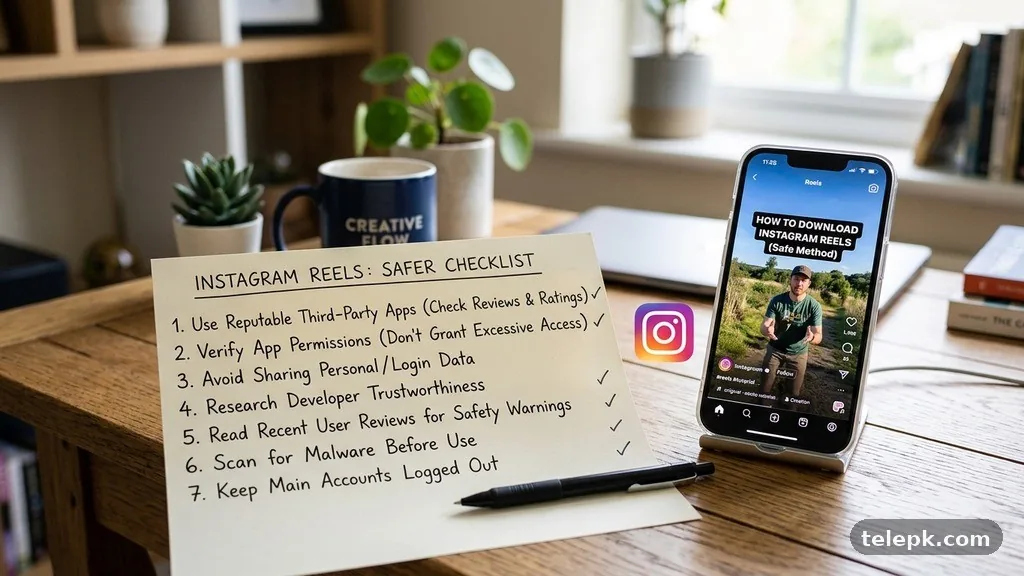
If you still decide to use an external download service for content you are permitted to save, take basic precautions. Treat it as a limited, one-time tool—not a place to connect your social account.
- Use only the public reel link; do not sign in with Instagram credentials.
- Check that the website does not require an app installation or browser extension.
- Close pages that imitate system alerts or claim your device has a virus.
- Verify the downloaded file type before opening it.
- Delete the file if it is not the video you expected or contains unexpected software.
How to Copy an Instagram Reels Link
Copying the link is useful when you want to share a reel with a friend, keep it in a notes app, or use a legitimate download tool for content you own or have permission to download. You do not need to follow an account to copy the link to a public post.
Open the reel, tap the share icon, and choose Copy link. You can then paste the URL into a message, browser, notes app, or another approved destination. Avoid copying a link from a private account for redistribution, since access to that content is limited to approved followers for a reason.
How to Save Reels to Camera Roll Without a Download Option
Screen recording is built into many Android phones and iPhones and can be a practical fallback for personal reference. It is not identical to downloading an original reels video: screen-recorded footage may include interface elements, notifications, lower quality, or captured sound limitations.
Use Screen Recording Carefully
Before recording, turn on Do Not Disturb and play the reel full-screen. Start the screen recorder, let the video play once, then trim the beginning and end in your phone’s editor. This keeps the saved file cleaner, though it still won’t match the original upload quality.
Screen recording should not be used to bypass a creator’s reasonable restrictions or to republish their work as your own. For a professional collaboration, brand campaign, or repost, ask for the original file directly. It will look better and gives everyone a clear record of permission.
Why a Reel May Not Download
A missing download option does not necessarily mean there is a problem with your phone. Instagram features can vary, and a creator may have disabled downloads for their public reels. Private content, certain audio tracks, account settings, and an outdated app can also affect what you see.
Try These Basic Checks
- Update the Instagram app through your device’s official app store.
- Confirm that you have enough available storage for a video file.
- Check your internet connection before trying again.
- Open the reel from the original post rather than a repost or shared preview.
- For your own reel, look for download controls both before and after posting.
If none of these steps works, saving the reel in the app may be the most reliable alternative. The feature remains available as long as the original post is still online and accessible to your account.
Download Quality, Watermarks, and Audio
Instagram compresses video during upload and playback, so even an official download may not have the same quality as the clip in your editing software or camera folder. For your own content, retain the original file before posting. That version is the one to use for future edits, backups, and cross-platform publishing.
A downloaded reel may also include a watermark or attribution label, depending on Instagram’s current sharing tools and the creator’s settings. Don’t try to remove a creator’s watermark from content you do not own. It can erase attribution and create a misleading impression about who made the video.
FAQ
Can I download Instagram Reels without an app?
You may be able to download your own reel through Instagram’s built-in options without installing another app. For public reels from other accounts, availability depends on the creator’s settings and Instagram’s current features. Saving inside Instagram is often the simplest no-app alternative.
How do I save a Reel to my camera roll?
For your own reel, open it from your profile and check the share or three-dot menu for a Download or Save to device option. If it is unavailable, screen recording can create a personal reference copy, although quality may be lower.
Can I download a Reel from a private account?
Private account content is intended for approved followers and should not be downloaded or shared without the creator’s explicit permission. Ask the account owner to send you the file if you need a copy.
Does Instagram notify someone when I download their Reel?
Instagram’s features and notifications can change, but you should not rely on the absence of a notification as permission to reuse content. Respect the creator’s settings and ask before using their reel beyond personal viewing.
Why is there no download button on an Instagram Reel?
The creator may have turned off downloads, the reel may use restricted audio, or the feature may not be available for that post or account. Updating Instagram and checking the original reel can help, but a missing button may be intentional.
Is it legal to repost downloaded reels videos?
Downloading a file does not transfer copyright or reuse rights. Reposting, editing, or using someone else’s content for a business generally requires permission from the creator and may also involve music licensing restrictions.
Final Thoughts
The safest approach to downloading Instagram Reels is to use Instagram’s own download controls for your original content and the Save feature for videos you simply want to revisit. For someone else’s public reel, check whether the creator has enabled downloads, and ask before you reuse or share the file outside the app.
Protect your account by avoiding tools that demand a password, and keep original source files whenever you publish your own reels. A saved link or in-app collection is often all you need; when you genuinely need a file, choose the method that preserves quality, credit, and the creator’s rights.